
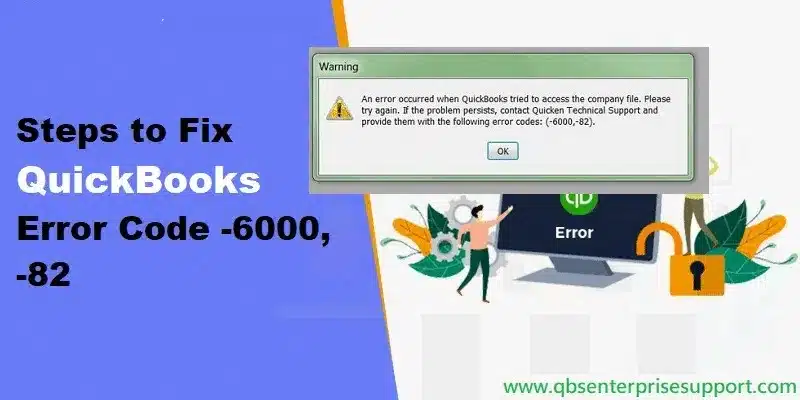
Did QuickBooks suddenly throw error 6000 82 and leave you unable to access your company file? Don’t worry — you have come to the right place. In this segment, you will understand what QuickBooks error code 6000 82 is and how to fix it. This is a 6000 series error, which means your company file has a problem that you should fix quickly to prevent data loss. It usually occurs in a multi-user environment, when QuickBooks cannot communicate with the server hosting the company file.
Fixing this error matters, because it can block you from accessing your company file from any computer. Read this post for the reasons and solutions — or connect with our accounting experts directly, and our team of certified ProAdvisors will get your queries resolved.
What is Error 6000 82 in QuickBooks Desktop?
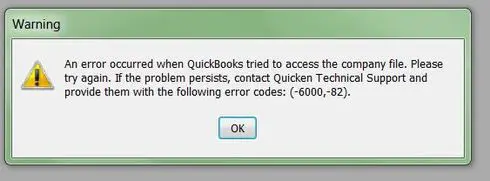
QuickBooks error 6000 82 is a common error that appears when you try to open the company file, or when QuickBooks cannot reach the company file data because it is located on another system. You will see a pop-up message like this:
An error occurred when QuickBooks tried to access the company file. Please try again. If the problem persists, contact Intuit QuickBooks support and provide them with the following error codes: (-6000, -82).
Important: Quicken is a different company — Intuit sold Quicken years ago. This error belongs to QuickBooks Desktop, so always contact Intuit QuickBooks support for help with it, not Quicken.
When this error occurs, you may not be able to access the company file at all. Before troubleshooting, make sure the software is updated to the latest release, and download, install, and run the QuickBooks File Doctor tool from the QuickBooks Tool Hub.
Solutions to Troubleshoot QuickBooks Error 6000 82
Solution 1: Remove spaces between the company file name and extension
Unnecessary spaces in the file name can cause this error:
- Log out of QuickBooks Desktop on all computers.
- Open the folder where the company file is stored.
- Right-click the QuickBooks company file and choose Rename.
- Remove any spaces between the company name and the file extension.
- Try to open or create a company file again.
If the problem persists, move to the next solution.
Solution 2: Turn off hosting on every computer except the server
For workstations (single-user access)
- Go to File > Utilities.
- Click Stop Hosting Multi-User Access.
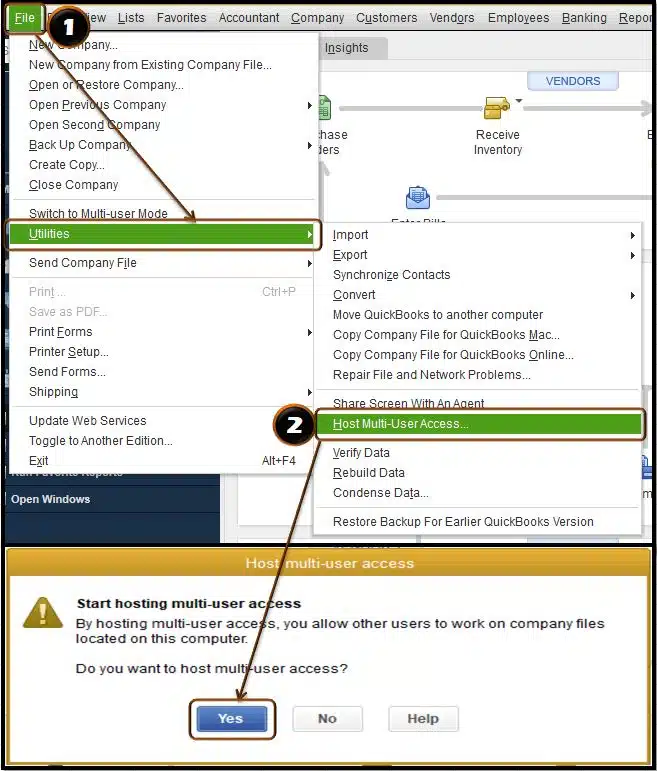
- Click Yes on both confirmation messages.
For multi-user access
Follow these steps on each workstation that has QuickBooks Desktop:
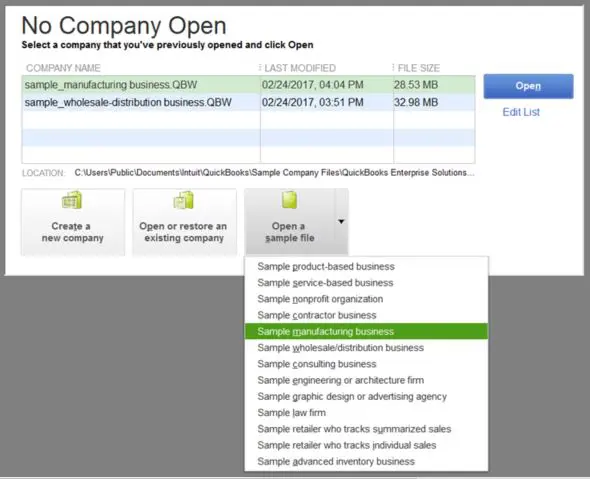
- Open the No Company Open window and choose Open a sample company file.
- Go to File > Utilities and check what the option says.
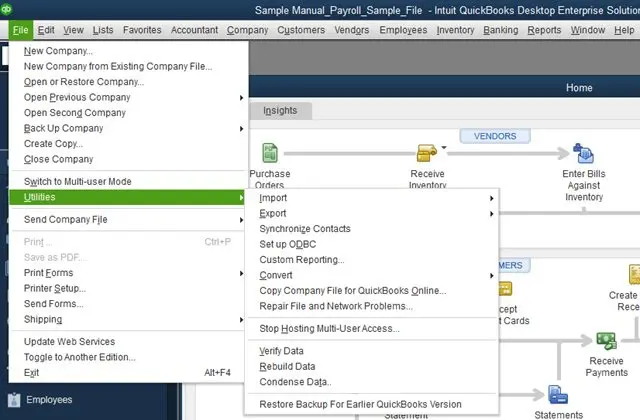
- If it shows Stop Hosting Multi-User Access, click it on every computer showing that option.
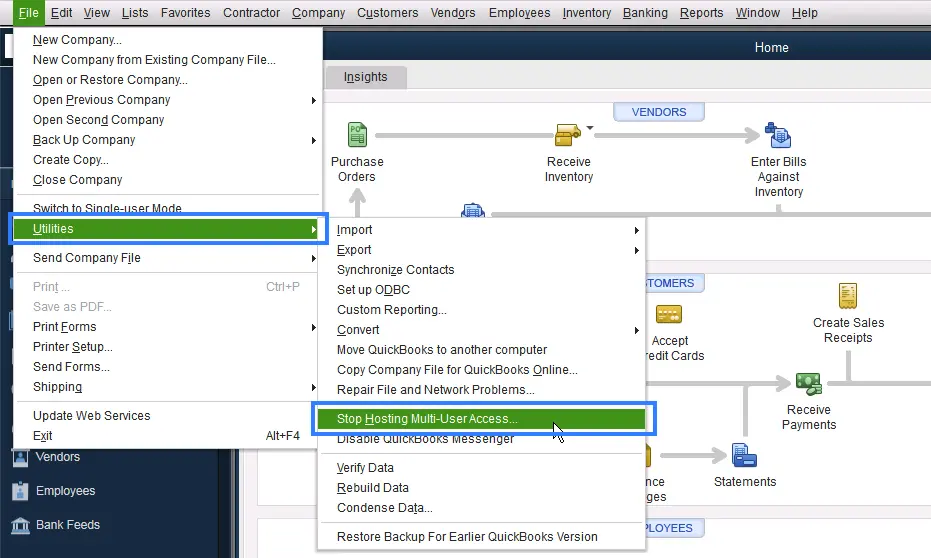
- Only the server computer should host the company file. Then try opening the company file again.
Read Also: Methods to Fix QuickBooks Payroll Update Error 15242
Solution 3: Confirm hosting is set to local files
- Open QuickBooks and press F2 to open the Product Information window.
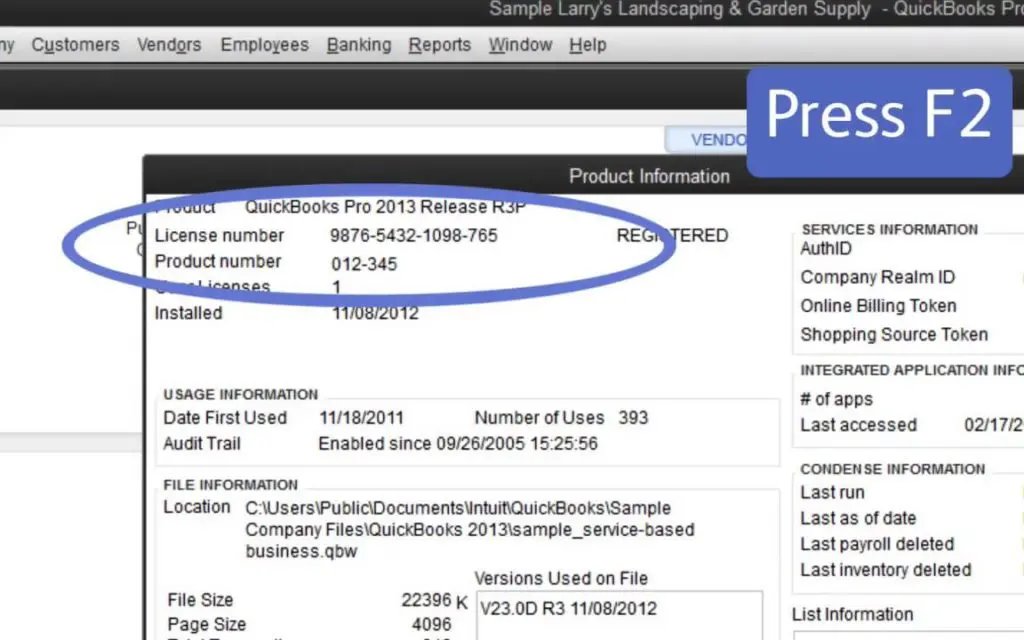
- Under Local Server Information at the bottom, check that Hosting is set to local files only.
- Go to the File menu and select Switch to Multi-user Mode.
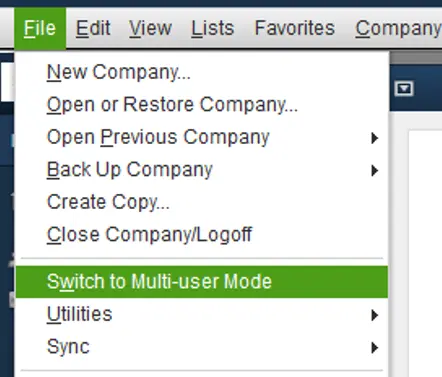
- On a network computer, open the company file, press F2 again, and confirm Hosting is still set to local files only.
Solution 4: Run Quick Fix My Program on the client computer
- Download and install the QuickBooks Tool Hub on the client system.
- Select Program Problems, then Quick Fix My Program.
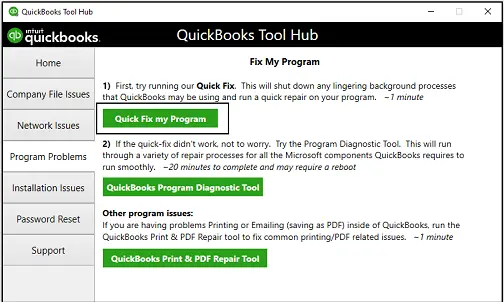
- Start QuickBooks Desktop and open the data file.
Solution 5: Use the Verify and Rebuild utilities
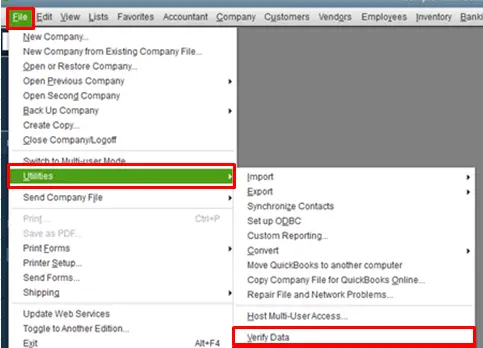
Error -6000, -82 can appear when the company file has data damage. Fixing damaged company file data takes care — run the Rebuild utility and then the Verify utility:
- Go to File > Utilities > Verify Data.
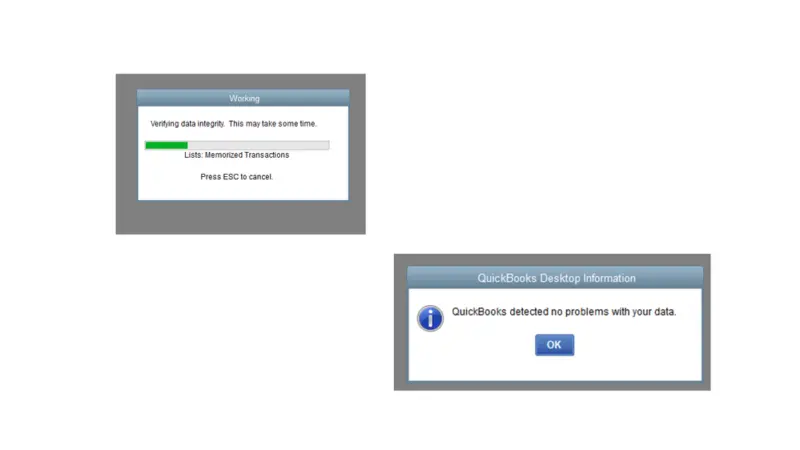
- If you see “QuickBooks detected no problem with the data”, click OK and continue using the file.
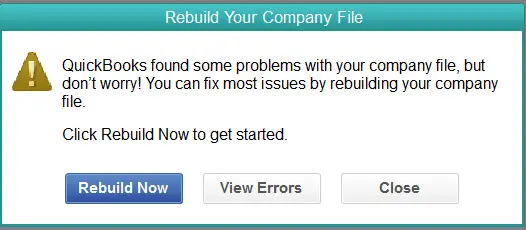
- If Verify finds a problem, you will be prompted to Rebuild Now or View Errors — choose Rebuild Now.
Solution 6: Restart Windows
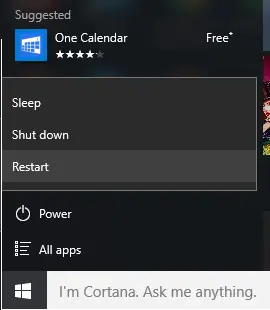
Restarting Windows sometimes clears the stuck state behind error 6000 82. Restart the computer and try opening the company file again.
Read Also: Rectify the QBWin.log Errors in QuickBooks Desktop
FAQs
What does QuickBooks Error 6000 82 mean?
It is a company file error in the 6000 series. It usually means QuickBooks cannot reach the company file on the network or server — most often in a multi-user setup — or the company file is damaged.
What are the reasons behind QuickBooks Error 6000 82?
The most common causes: a corrupted or damaged company file, incorrect multi-user hosting settings, the company file stored on another computer that is unreachable, or spaces in the company file name.
What are the signs of QuickBooks error 6000 82?
The error message appears on screen, the system may crash repeatedly with the same message, Windows runs sluggishly, or QuickBooks freezes when opening the company file.
What is QuickBooks File Doctor used for?
It is a tool from Intuit (now inside the QuickBooks Tool Hub) that fixes company file damage and network issues behind 6000-series errors.
Should I contact Quicken support for this error?
No. Quicken is a separate company and has nothing to do with QuickBooks Desktop. Contact Intuit QuickBooks support, your IT administrator.
Related Articles: