
Looking for a free QuickBooks Desktop trial? You can try QuickBooks Desktop free for 30 days before you buy it. This guide gives you the official trial download links for the US, Canada, and the UK, plus the steps to install and activate the trial on your system.
A trial is the safest way to test QuickBooks Desktop with your own business data. You can explore all the features — invoicing, expense tracking, payroll (in some editions), and reporting — without paying anything upfront. If you decide to buy, you can convert your trial company file to a paid subscription without losing data.
Table of Contents
Important Trial Limitations You Should Know
Before you download, know what the trial can and cannot do:
- The 30-day trial is fully functional — all features of the edition you download are unlocked.
- You can install the trial on up to two computers (for example, your office PC and a laptop).
- No credit card is required to start the trial.
- If you download the installer from a third-party site, verify the file's digital signature before running it — tampered installers are a common malware vector. The only guaranteed-safe source is Intuit's official site.
- Try payroll, inventory, and reporting features (Enterprise trial).
- Test multi-user mode with the QuickBooks Database Server Manager before committing.
After the 30 days expire, you will need a valid license to keep using it. If you are an existing subscriber, you can keep renewing your current Desktop subscription – the 2024 stop-sell only affected new purchases.
QuickBooks Desktop Trial for the United States (US)
For the US, Intuit's official trial download page is the only link you should trust:
- QuickBooks Desktop Enterprise trial and QuickBooks Desktop for Mac trial – download from Intuit's official trial page.
Note: If you are looking for a trial of QuickBooks Online instead, Intuit's QBO trial is a separate product – check Intuit's site for the current QuickBooks free trial offer in your region.
Read Also: How to Verify Your Subscription Before Installing QuickBooks Desktop
QuickBooks Desktop Trial for Canada (CA)
The Canada trial download works the same way – Intuit hosts the official links for Canadian users:
- QuickBooks Desktop trial (Canada) – download from Intuit's official trial page.
Save the install file to a location you can access easily, like the Windows desktop.
QuickBooks Desktop Trial for the United Kingdom (UK)
For the UK, QuickBooks Desktop is no longer sold to new customers either – Intuit now points UK users toward QuickBooks Online. You can check the current QuickBooks free trial options for your region on Intuit's site.
System Requirements for the QuickBooks Desktop Trial
Before you install the QuickBooks Desktop trial, make sure your system meets the minimum requirements:
- Operating system: Windows 10 or Windows 11 (64-bit, natively installed) for the Windows trial; a supported macOS version for the Mac trial.
- Processor and RAM: 2.4 GHz processor minimum, 8 GB RAM recommended.
- Disk space: At least 2.5 GB free (more for data files).
- Internet: Required for downloading the installer, updates, and online features.
- Browser: A current browser (Edge or Chrome) – the old Internet Explorer 11 requirement no longer applies.
Note: QuickBooks must be installed on Windows natively, not through an emulator or virtual environment – ignoring this can lead to sluggish performance and errors.
How to Download and Install the QuickBooks Desktop Trial
The steps below work for the current trial installers:

- Close all open programs, including your antivirus, before you begin.
- Download the trial installer from Intuit's official trial page and save it to your desktop.
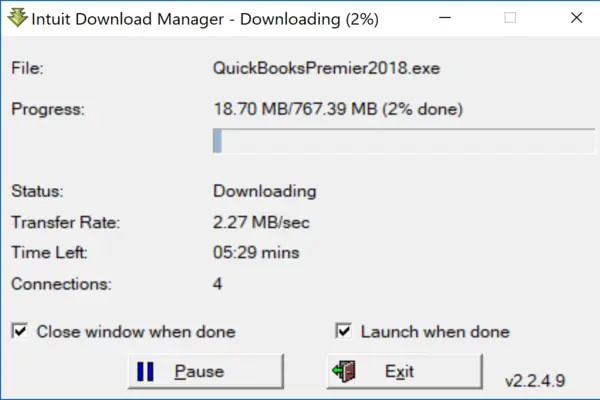
- Double-click the installer file and click Yes when Windows asks for permission.
- Click Next in the QuickBooks setup window, then accept the license agreement and click Next again.
- Enter the License number and Product number if you have them; for the trial, no codes are required.

- Choose the recommended install type and click Next, then click Install.
- Wait for the installation to finish, then restart your antivirus program.
If the installer throws an error, run the QuickBooks Install Diagnostic Tool from the QuickBooks Tool Hub before trying again – it fixes most installation failures automatically.
Steps to Activate the QuickBooks Desktop Trial
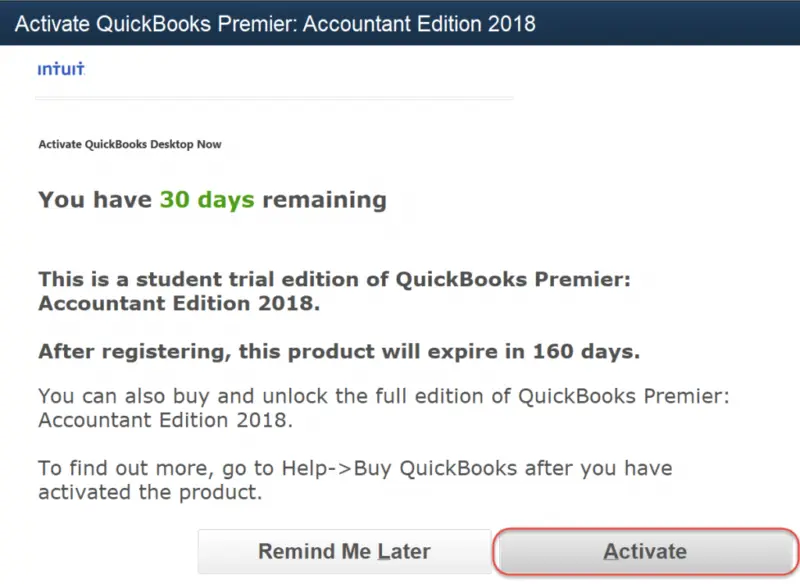
- Open QuickBooks for the first time and click Activate – you have 30 days to activate the trial.
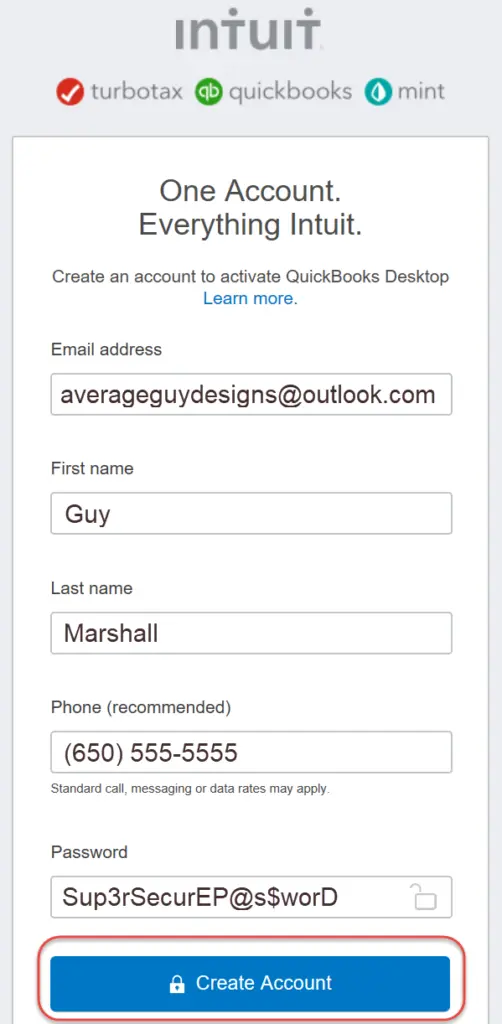
- Enter your details and click Create an account.
- Review your customer account information and click Next.
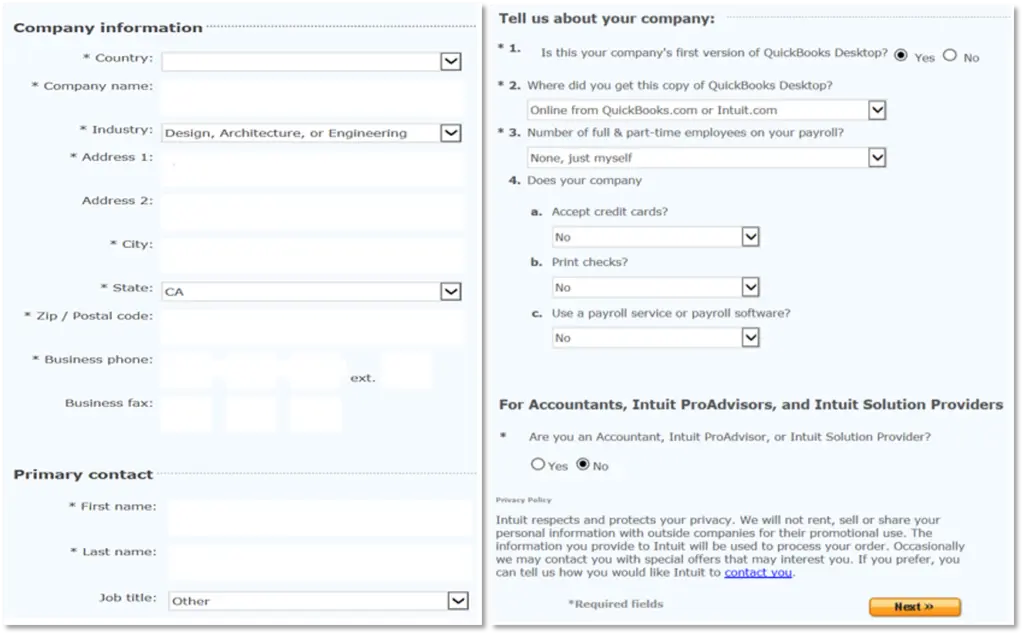
- Once activation finishes, save or print the confirmation page for your records.
Read Also: How to Fix QuickBooks Multi-User Not Working Error
How to Switch to Another Edition (Pro / Premier / Enterprise)
If you installed one edition but want to try another within your trial:
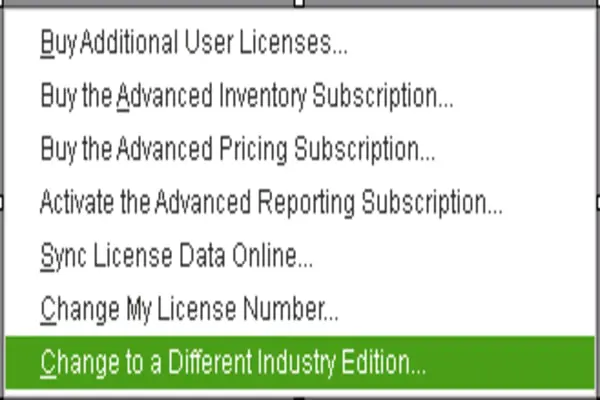
- Open QuickBooks and go to the File menu, then select Switch to another edition.
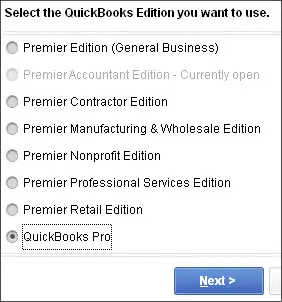
- Click the edition you want from the list on the screen.
- Go through the information windows and click Switch.
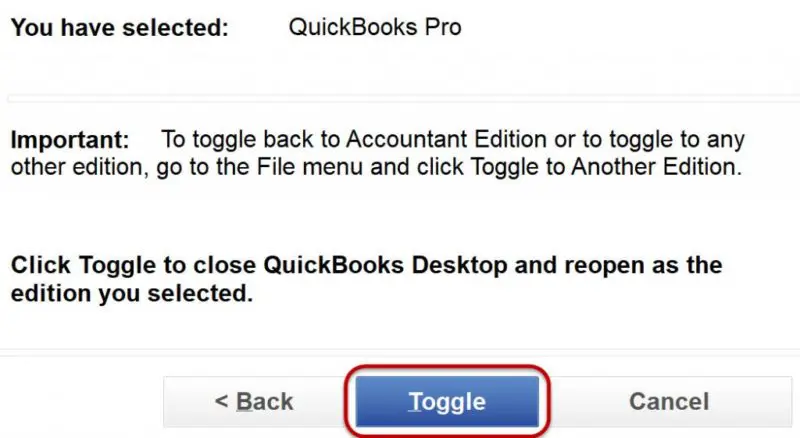
- The process may take a few minutes; the new edition name will appear in the title bar.

Sum up!
We end the post here with the hope that the information shared above helps you download and try the free 30-day trial of QuickBooks Desktop and decide with confidence. If you would rather have a professional handle your books from day one, take a look at our bookkeeping services – do not hesitate to call us anytime.
FAQs
Is the QuickBooks Desktop trial really free for 30 days?
Yes. The trial is completely free for 30 days. After it expires, you need a valid license or subscription to continue using QuickBooks Desktop.
Do I need a license number and product number for the trial?
No. Intuit's official guidance says you don't need any codes to open the trial. Older blog posts listing trial license numbers refer to versions Intuit no longer supports.
Can I still download a trial of QuickBooks Desktop Pro or Premier?
Intuit's current trial page offers QuickBooks Desktop Enterprise and QuickBooks Desktop for Mac trials. Pro Plus and Premier Plus are no longer sold to new US customers, so no current trial exists for them.
What happens to my data when the trial expires?
Your company file stays intact. Once you activate QuickBooks with a valid license, you can open the same file and continue where you left off.
Which regions have official QuickBooks Desktop trial downloads?
Intuit hosts official trial pages for the US and Canada. UK users are now directed to QuickBooks Online trials.
Checkout these topics also:
How to Configure QuickBooks Firewall and Other Security Programs